beautyfarm - THE BEST DESIGN
DOWNLOAD MY MUSIK,participa la concursuri,soft-uri,cool stuff,NIKON CLUB,Baruri Trendy,ScreenSavers,Accesorii Cool,Masini sexy,Bannere,Games,Aparitii Cinematografice,Tribal Farm...etc distreaza-te!Totul pentru TINE.Cele mai tari subiecte.
Nexus B.F Star ★★★★★ Din: Twilight Zone
Postari: 3078
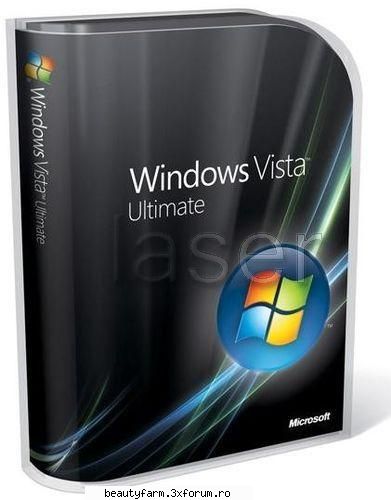
Windows Vista Ultimate lite 32-bit SP1 v2.0-2009 Rapidshare Megaupload
Windows Vista Lite Mix is like no other vista CD versions and now Build 2 takes a big step! This is a modified CD version of the Windows Vista Ultimate 32bit SP1 DVD. Non important components were removed to create a smaller, faster and 100% stable vista CD version. No need for activation or CD keys. 115+ tweaks has been added and lots of other extras...
Informaion: -Only the less non important components were removed to shrink vista onto a standard CD size and to run smoothly! -This version was Modified from the original "Windows Vista Ultimate SP1 DVD". -No cd key or activation needs to be done so you can download all microsoft goodies. -115+ tweaks applied for fastest performance and stability! -It fits perfectly onto a standard CD. You can also burn it onto a DVD for faster installation time. -You can only boot from disk in order to install so "MAKE SURE TO BACK UP YOUR HARD DISK BEFORE INSTALLING!". -After the installation it should take about 3.5GB's of space on your hard disk! -Minimum ram requirement is set to 256mb!
What's new? Windows services updated! More tweaks added! Less components removed! Latest Directx version! Wallpapers! Bootscreen! 6 different sidebar skins and gadgets! Logon screen! Startup Orb animation and sound! Application compatibility issue Hotfix added! ActiveX Killbits security Hotfix added! All of the performance and reliability Hotfixes has been added! User picture animated! More screen savers! Cool icons! Sound Schemes! 3 cool themes! Customized default aero theme! Transparent maximized window! 90+ cool username pictures!
What's gone? Accessories: Accessibility Games Speech support Welcome center
Drivers: Display adapters Diva Server Modems Printers Scanners Tv tunners
Hardware Support: Fax Support Internet small computer system interface (iscsi) Smartcards windows Mobile Device center Windows Portable Devices
Multimedia: Media Center Movie and dvd maker Music and video samples Sample pictures
Network: Connect to network projector Internet information services Remote desktop and assistance Windows collaboration Windows mail
Services: Diagnostics Distributed link tracking client Error reporting Microsoft dfs replication Offline files Remote registry Windows remote management Windows search
System: Bitlocker drive encryption Disk defragmenter Help Malcious software removal Manual install Microsoft Agent Natural language Parental controls Performance counters Reliability and performance monitor remote differential compression Security center Sync center Tablet pc Windows defender ( Useless!) windows easy transfer windows SAT (You won't be able to rate your system performance!) Zip folder
Instructions: 1. Burn the ISO image to a CD or DVD. 2. Insert disc, Boot From Disc. 3. Choose a Partition to install Vista Lite Mix. 4. Vista Lite Mix will restart 3 times to complete installation. 5. Enjoy!
Nexus B.F Star ★★★★★ Din: Twilight Zone
Postari: 3078
Windows XP Vista Lite 2009 v2.5
Free Full Download from Rapidshare Megaupload Megashare Filefactory free download soft DESCARCA GRATIS PROGRAME FULL APPS :SCARICA GRATIS PROGRAMMI COMPLETI :SCARICAR FACILè :libérez le téléchargement geben Sie Download frei libere la transferencia directa descargar загрузка скачать бесплатно pobrać downloaden laste ned डाउनलोड λήψη ladata downloade preuzimanje stáhnout изтеглям تنزيل hämta herunterladen
Windows XP Vista Lite 2009 base on Windows XP SP3 Final.This Windows is activated.support all PC and laptop add SATA, Realtek HD Audio, Intel INF Update
Line5 = Internet Games Line10 = Music Samples Line11 = Old CDPlayer and Sound Recorder Line12 = Tablet PC Line14 = MSN Explorer Line15 = Windows Messenger Line17 = Color Schemes Line18 = Desktop Cleanup Wizard Line19 = Extra Fonts Line20 = File and Settings Wizard Line21 = Security Center Line22 = Tour Line24 = Extensible Authentication Protocol Service Line25 = Health Key and Certificate Management Service Line26 = IMAPI CD-Burning COM Service Line27 = Network Access Protection (NAP) Line28 = Wired AutoConfig
After Install go to the path "C:\Windows\system32\" and del "ntkrnlpa.exe" file to view best bootscreen
• 1 GB RAM (Recommended 2GB RAM) • 20 GB of HDD space • 128 MB of Graphics Memory (Capable to run Windows Aero) • 17’ inch Monitor (1024 x 768) • DVD-ROM or DVD-RAM • Pixel Shader 2.0 • Dual Core Processors
Nexus B.F Star ★★★★★ Din: Twilight Zone
Postari: 3078
Microsoft Windows Vista Ultimate SP2 x86 & x64
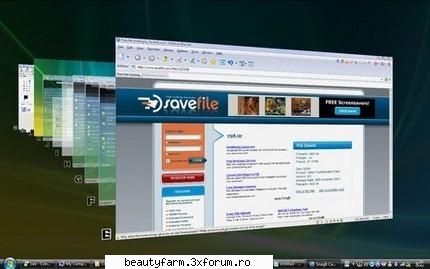
Windows Vista introduces a breakthrough user experience and is designed to help you feel confident in your ability to view, find, and organize information and to control your computing experience. The visual sophistication of Windows Vista helps streamline your computing experience by refining common window elements so you can better focus on the content on the screen rather than on how to access it. The desktop experience is more informative, intuitive, and helpful. And new tools bring better clarity to the information on your computer, so you can see what your files contain without opening them, find applications and files instantly, navigate efficiently among open windows, and use wizards and dialog boxes more confidently.
Microsoft has finished work on the second Service Pack (Service Pack 2) for Microsoft Windows Vista and Windows Server 2008, and April 29, 2009 to engineering sign-off will be signed by the final RTM build, build, dated 10 April 2009: 6002.18005.090410-1830
Vista Transformation Pack will give to your Windows XP system the new and cool look of Microsoft's future operating system: Windows Vista. The pack changes most of the system icons, skins and toolbars and also adds new enhancements to your desktop such as a dock bar or a different system tray clock. It is free and does a great job of giving machine a look similar to Vista.
It does have uninstallation options in case you decide you want to get rid of it, so there really isn’t anything to lose. However, when you install the software it has to overwrite some system files (it modifies things like the boot screen) so Windows will prompt you stating that your system files have been changed. It will ask whether you want to change them back or leave them, so just leave them if you want the system to function properly.
Features of "Vista Transformation Pack": • Boot screen • Welcome Screen / Logon Screen • New msstyles files (visual styles) • New desktop and file icons • New toolbar icons • Progress Dialogs • Sounds scheme • System Tray icons • New Wallpapers • Windows Media Player Skins
Vista Transformation Pack 9.0 Keynotes:
New 3rd-party applications ViSplore - Vista Glass explorer simulator Vista Drive Icon - adding free space percentage in your drive icon like Vista explorer Vista Rainbar - Lightweight Vista sidebar based on Rainmeter that even consume less resources than real Vista Sidebar
Improved 3rd-party applications ViStart - Files indexing for documents search, improved reliability and compatibilities ViOrb - Improved graphic and reliability (C++ re-written) TrueTransparency - Improved reliability with improved AeroStyle's glass border WinFlip - Improved stability and reliablity
New functionalities Setup personization - Allow customizing Vista experiences upon installation without access to Welcome Center Windows XP Service Pack 3 compatibilities - Now you can enjoy Vista themes after installation with Windows XP Service Pack 3 x64 compatibilities - More secured x64 installation without getting hurt by incompatibilities
There're also a lot of bug fixes and refinements in the program but let's just keep it simple with these for now. You can experience the rest later by yourself.
Changes in Version 9.0.1: - Added ViSplore in unsafe applications list (It's first beta version after all) - Added restrcting applications don't meet the requirements from startup list (But not from installation so you can set it manually still) - Added restrcting to set unsafe applications in Personalization page (Welcome Center only) - Fixed Windows XP Service Pack 3 compatibilities (Even non-RTM version can apply so make sure you use official build 5512) - Fixed "Do not show this welcome screen after restart" option bug that always keep program in startup instead - Updated Vista Rainbar's launcher for constant waiting cursor activity issue - Updated Vistalize basic desktop theme components to apply font and toolbar in Personalization - Updated VisualTooltip default configuration to set area space in bottom from 30 to 0 It does have uninstallation options in case you decide you want to get rid of it, so there really isn’t anything to lose. However, when you install the software it has to overwrite some system files (it modifies things like the boot screen) so Windows will prompt you stating that your system files have been changed. It will ask whether you want to change them back or leave them, so just leave them if you want the system to function properly.
Features of "Vista Transformation Pack": • Boot screen • Welcome Screen / Logon Screen • New msstyles files (visual styles) • New desktop and file icons • New toolbar icons • Progress Dialogs • Sounds scheme • System Tray icons • New Wallpapers • Windows Media Player Skins
Vista Transformation Pack 9.0 Keynotes:
New 3rd-party applications ViSplore - Vista Glass explorer simulator Vista Drive Icon - adding free space percentage in your drive icon like Vista explorer Vista Rainbar - Lightweight Vista sidebar based on Rainmeter that even consume less resources than real Vista Sidebar
Improved 3rd-party applications ViStart - Files indexing for documents search, improved reliability and compatibilities ViOrb - Improved graphic and reliability (C++ re-written) TrueTransparency - Improved reliability with improved AeroStyle's glass border WinFlip - Improved stability and reliablity
New functionalities Setup personization - Allow customizing Vista experiences upon installation without access to Welcome Center Windows XP Service Pack 3 compatibilities - Now you can enjoy Vista themes after installation with Windows XP Service Pack 3 x64 compatibilities - More secured x64 installation without getting hurt by incompatibilities
There're also a lot of bug fixes and refinements in the program but let's just keep it simple with these for now. You can experience the rest later by yourself.
Changes in Version 9.0.1: - Added ViSplore in unsafe applications list (It's first beta version after all) - Added restrcting applications don't meet the requirements from startup list (But not from installation so you can set it manually still) - Added restrcting to set unsafe applications in Personalization page (Welcome Center only) - Fixed Windows XP Service Pack 3 compatibilities (Even non-RTM version can apply so make sure you use official build 5512) - Fixed "Do not show this welcome screen after restart" option bug that always keep program in startup instead - Updated Vista Rainbar's launcher for constant waiting cursor activity issue - Updated Vistalize basic desktop theme components to apply font and toolbar in Personalization - Updated VisualTooltip default configuration to set area space in bottom from 30 to 0 - Updated WinFlip's configuration for higher reliablity and compatibilities with ViStart
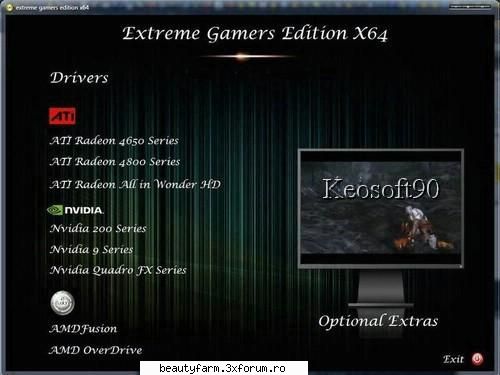
Windows Vista Ultimate SP2 Extreme Gamers Edition X64 | 2865 MB
This Operating system is designed from a Genuine Vista Ultimate . It will be more faster and reliable when compared with other vista operating systems.· 1GB RAM · 128MB of Graphics Memory (Capable to run Windows Aero)
Compilation Date:16.05.2009 Platform:Based on Vista Ultimate Category : Operating System Activation Needed :No CD-Key : No Size:2.80 GB No of DVD's : 1 in ISO image format
Minimum System Requirements:
· 1GB RAM · 40 GB of HDD space · 128MB of Graphics Memory (Capable to run Windows Aero) · 17’ inch Monitor (1024 x 768) · DVD-ROM
Removed Components
Accessories:
Accessibility Speech Support Welcome Center
Drivers:
Display adapters Modems Printers
Games:
Game Explorer Inbox Games Premium Inbox Games
Hardware Support: Internet Small Computer System Interface (iSCSI)
Languages:
Japanese Korean Simplified Chinese Traditional Chinese
Multimedia:
Media Center Movie and DVD Maker Screensavers Wallpapers Windows Media Samples windows sidebar
Services:
Security Center
System:
BitLocker Drive Encryption Help Microsoft Agent Natural Language Tablet PC Windows Defender Windows Easy Transfer
Added Programs
7 Zip Firefox 3.10 by neuropass Rocket dock by neuropass Winstep Xtreme 2009 by neuropass DirectX Adobe Reader 9 Java
Windows Vista 2009 - all versions - FREE DOWNLOAD – poza de Nexus, in SOFT-URI · 30.9KB
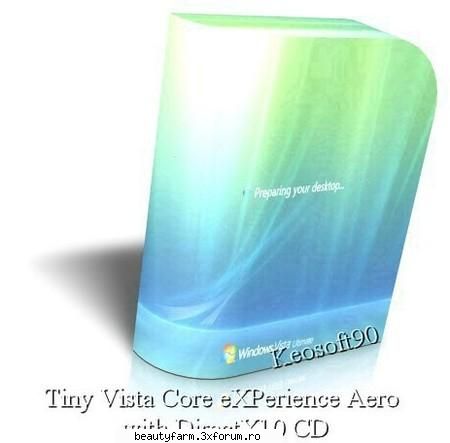
Tiny Vista Core eXPerience Aero with DirectX10 CD | 700 MB
Wanna feel ur vista running at the speed of XP??? Use this edition.Includes mainly Vista Core+Aero+DirectX10.All other craps slowing down vista removed!!!The 512Mb RAM memory requirement is reduced to just 256Mb. The requirement of almost 8Gb of disk space is reduced to less than 3Gb.No product key is needed. Windows Vista is activated upon installation. Windows is fully loaded with all important Windows Updates.
This installation only takes up about 35% of the size of a normal installation of Windows Vista. Many components have been removed from this edition of Windows, but you still have microoft's three main programs: * Internet Explorer 7 * Windows Mail (Formerly "Outlook Express" * Windows Media Player 11 You also have the new Aero theme in this edition of Windows and the ability to use Windows Update. There are no services taken out of this special edition of Windows. Only three services have been disabled: Remote Registry, Windows Error Reporting Service, Windows Search. You cannot do an upgrade installation from this CD, because the upgrade files have been removed. You can only install Windows by booting from the CD and formatting your partition or hard drive. DirectX DLL Files Despite Windows Vista being an absolutely massive operating system, it still does not even include DirectX DLL files! What were microsoft thinking? So if you need the DirectX 9 DLL files (d3dx9_24/25/26/27/28/29/30/31/32/33.dll) you can just double click the file in this folder to extract these 10 DLL files to system32. This will keep compatibility with games you might have stored on another drive from a previous installation. Ethernet Drivers Despite Windows Vista being an absolutely massive operating system, it still does not even include some Ethernet Drivers! What were microoft thinking? So if your Ethernet card is not working after installing Windows Vista and it needs its driver installing, you can use the Ethernet Driver pack thats included in this folder. Follow the instructions in the ReadMe.txt file. After installing your Ethernet Card, see if your onboard sound is working, IT PROBABLY WON'T BE, it seems microsoft forgot to include Realtek AC97 sound drivers in Windows Vista, this is ridiculous considering almost every motherboard in the world has Realtek AC97 sound! Its almost as if microsoft are trying to annoy people on purpose, they give you a 2.5Gb+ DVD sized Operating System WITHOUT Ethernet Drivers, Sound Drivers or DirectX DLL files. Release Infomation: This folder contains all the detailed information about this Tiny Vista CD: * FAQ * How To Install Windows * Removed Components * Windows Updates * Custom Tweaks How To Install Windows/[b] This unattended version of Windows is very easy to install. You can only install this edition of Windows onto a formatted partition or hard drive, in other words, you cannot do an upgrade installation from within Windows. To find out all the information on how to install this edition of Windows, open the eXPerience folder that is on the CD and open the file "2 - How To Install Windows.htm" This guide will show you exactly what to do, with full images of the setup screens. [b]Custom Tweaks This edition of Windows is heavily modified for the best possible user experience, with more than 120 registry tweaks, you can see all the details of the changes made by looking at the file "5 - Custom Tweaks.htm" that is in the Release Info folder in the eXPerience folder on the CD. Removed Components This CD sized release of Windows Vista has had the following components removed using vLite: Accessories * Accessibility * Speech Support * Welcome Center Drivers * Display adapters * Modems * Printers Games * Game Explorer * Inbox Games * Premium Inbox Games Languages * Japanese * Korean * Simplified Chinese * Traditional Chinese Multimedia * Media Center * Movie and DVD Maker * Screensavers * Wallpapers * Windows Media Samples System * BitLocker Drive Encryption * Help * microsoft Agent * Natural Language * Security Center * Tablet PC * Windows Defender * Windows Easy Transfer
The ability to upgrade from an older version of Windows has also been removed manually after vLite was used. vLite does not support this at this moment in time, but this was done by removing every file and folder from the "sources" folder on the CD except the two Windows image files "boot.wim" and "install.wim" Windows Updates This special eXPerience edition of Windows Vista includes all the important Windows Updates. These hotfixes are installed silently near the end of the Windows install process.
Windows Vista 2009 - all versions - FREE DOWNLOAD – poza de Nexus, in SOFT-URI · 18.5KB














 №1
№1